<파라미터 변조 취약점, URL 접근 제한 미흡 취약점>과 관련된 워게임 3문제를 풀었습니다
<Dreamhack>
pathtraversal https://dreamhack.io/wargame/challenges/12
File Vulnerability Advanced for linux https://dreamhack.io/wargame/challenges/417
old-11 https://webhacking.kr/challenge/code-2/
pathtraversal 풀이
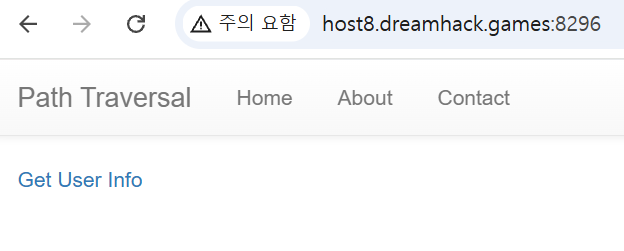
웹서버에 접속하면 가장 먼저 뜨는 화면이다. Get User Info에만 접근할 수 있는 것 같다.
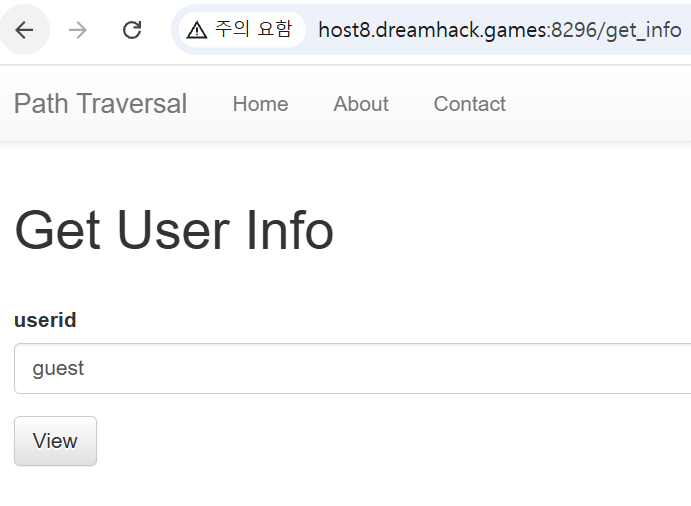
기본으로 guest를 조회할 수 있게 되어있다.
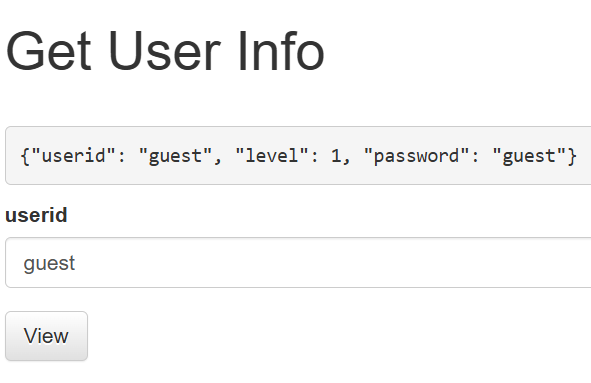

View를 누르면 userid, level, password가 조회된다. admin도 검색이 가능하다.

app.py 소스코드를 살펴보면 users에 담긴 정보를 볼 수 있다. guest와 admin을 0과 1로 구분하고 있다.
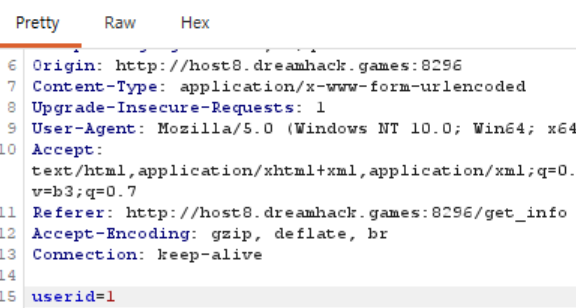
Burp Suite를 이용해서 userid를 1로 변경한 후 Forward로 보내면 admin을 조회했을 때와 같은 결과가 나온다.
API_HOST = 'http://127.0.0.1:8000'

...

@app.route('/get_info', methods=['GET', 'POST'])
def get_info():
    if request.method == 'GET':
        return render_template('get_info.html')
    elif request.method == 'POST':
        userid = request.form.get('userid', '')
        info = requests.get(f'{API_HOST}/api/user/{userid}').text
        return render_template('get_info.html', info=info)

@app.route('/api')
@internal_api
def api():
    return '/user/<uid>, /flag'

@app.route('/api/user/<uid>')
@internal_api
def get_flag(uid):
    try:
        info = users[uid]
    except:
        info = {}
    return json.dumps(info)

@app.route('/api/flag')
@internal_api
def flag():
    return FLAG
/get_info에서 requests.get(f'{API_HOST}/api/user/{userid}').text 를 주목해야 한다.
/get_info에서 http://127.0.0.1:8000/api/user/{입력값} 형식으로 HTTP GET 요청을 보내서 API 응답을 가져와 출력하도록 하고 있다.
FLAG 값을 얻으려면 /api/flag에 접근해야 하므로
GET 요청 시 /api/user/../flag 로 보내도록 수정하면 된다.
.. : 상위 디렉터리
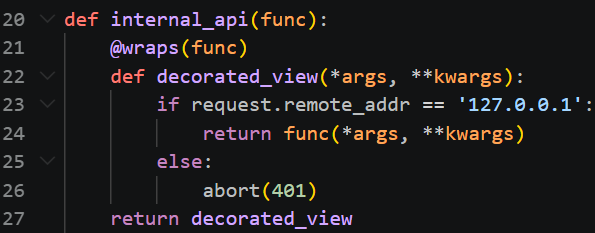
브라우저 주소 창에 /api/flag를 입력하면 401에러가 난다. 그 이유는
internal_api 요청시 출발 IP가 127.0.0.1이 아니면 전부 401에러로 처리한다.
브라우저에서 직접 URL 요청 시
<http://127.0.0.1/api/flag> 가 아니라 <http://문제서버주소/api/flag> 로 전송되기 때문에 401가 뜬다.
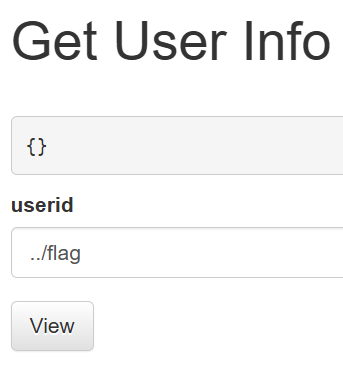
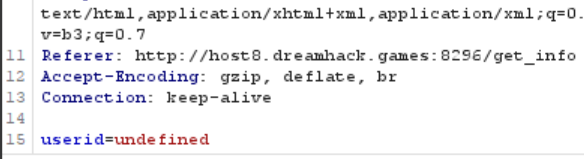
또한 이렇게 직접 ../flag를 입력해서 보내면 undefined로 바뀐다.
프록시 툴로 HTTP 요청을 직접 수정해야 한다.

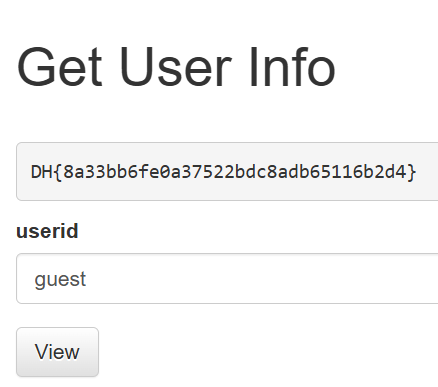
../flag 로 수정하여 보내면 FLAG값을 획득할 수 있다.
File Vulnerability Advanced for linux 풀이
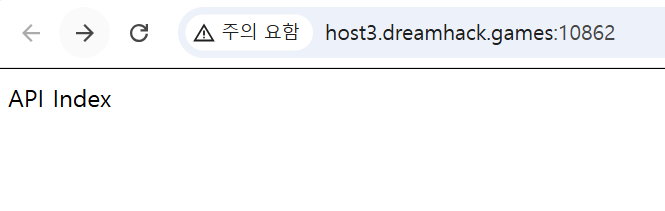
첫 화면이다.
import os, subprocess
from functools import wraps
from flask import Flask, request

app = Flask(__name__)
API_KEY = os.environ.get('API_KEY', None)

def key_required(view):
    @wraps(view)
    def wrapped_view(**kwargs):
        apikey = request.args.get('API_KEY', None)
        if API_KEY and apikey:
            if apikey == API_KEY:
                return view(**kwargs)
        return 'Access Denied !'
    return wrapped_view


@app.route('/', methods=['GET'])
def index():
    return 'API Index'


@app.route('/file', methods=['GET'])
def file():
    path = request.args.get('path', None)
    if path:
        data = open('./files/' + path).read()
        return data
    return 'Error !'


@app.route('/admin', methods=['GET'])
@key_required
def admin():
    cmd = request.args.get('cmd', None)
    if cmd:
        result = subprocess.getoutput(cmd)
        return result
    else:
        return 'Error !'


if __name__ == '__main__':
    app.run(host='0.0.0.0', debug=True)
main.py 소스코드를 살펴봤다. 웹페이지에서 /file과 /admin에 접근할 수 있을 것 같다.
/admin에 접근하려면 API키가 필요해 보인다.
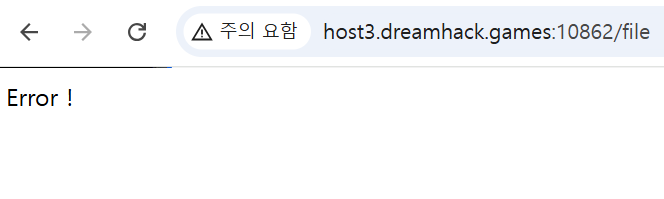
URL에 /file을 입력했더니 Error !가 출력된다. 소스코드를 보니 path를 지정해줘야 할 것 같다.
path가 있다면 './files/' + path를 출력하도록 되어 있다.
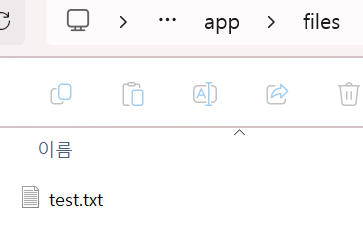
다운받은 폴더를 보니 소스코드와 같은 경로인 files가 있다.
files 내에 있는 test.txt를 출력해봤다.

/file?path=test.txt 를 입력했더니 test.txt 내용이 출력된다.
상위 디렉터리도 확인할 수 있을까?
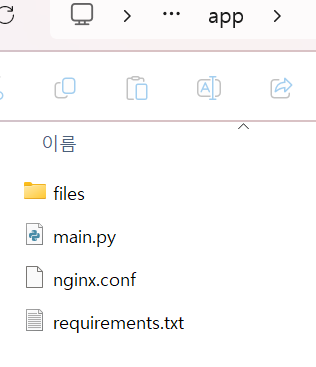
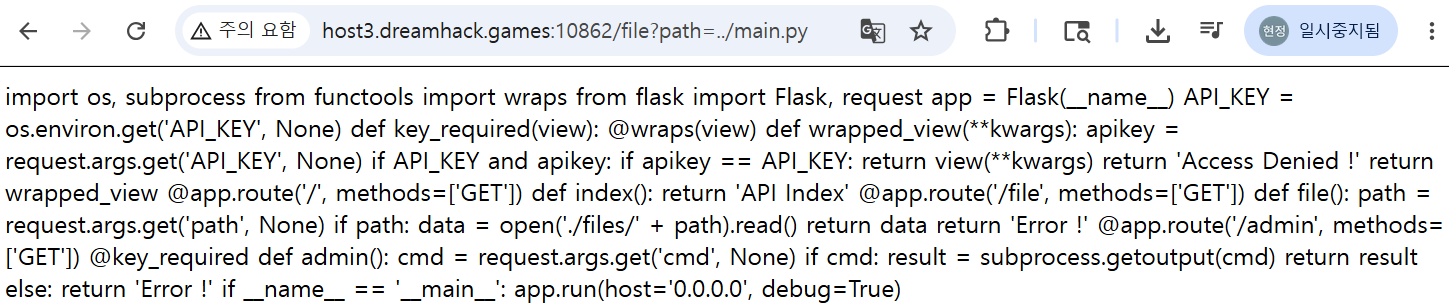
상위 디렉터리에 main.py가 있어서 file?path=../main.py 로 소스코드를 출력했다.
이런 방식으로 파일에 접근할 수 있는 걸 파악한 후, /admin에 접근하기 위해 API_KEY를 얻으려고 한다.
API_KEY = os.environ.get('API_KEY', None)현재 프로그램의 환경변수 목록을 가져오는 코드이다.
리눅스 환경에서 실행 중인 프로세스의 환경변수는 보통 /proc/self/environ에서 확인할 수 있다.
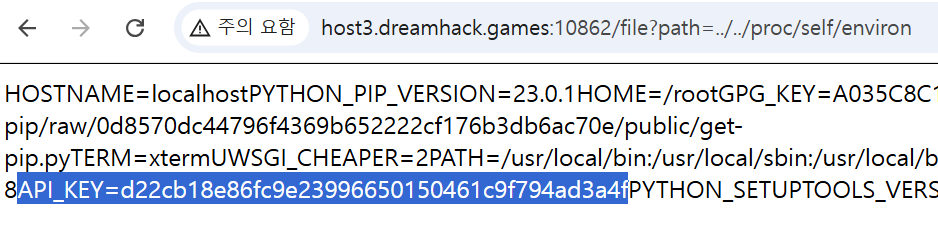
/file?path=../../proc/self/environ 에서 API_KEY를 확인할 수 있다.
API_KEY=d22cb18e86fc9e23996650150461c9f794ad3a4f

/admin?API_KEY=...&cmd=ls
리눅스의 ls 명령어가 실행되도록 입력한 결과이다. 리눅스 명령어로 flag 값을 찾으면 된다.

cmd=../
상위 디렉터리에 flag가 있다.

cmd=../flag 에서 FLAG값 획득
old-11 풀이

첫 화면이다.
<?php
  include "../../config.php";
  if($_GET['view_source']) view_source();
?><html>
<head>
<title>Challenge 11</title>
<style type="text/css">
body { background:black; color:white; font-size:10pt; }
</style>
</head>
<body>
<center>
<br><br>
<?php
  $pat="/[1-3][a-f]{5}_.*$_SERVER[REMOTE_ADDR].*\tp\ta\ts\ts/";
  if(preg_match($pat,$_GET['val'])){
    solve(11);
  }
  else echo("<h2>Wrong</h2>");
  echo("<br><br>");
?>
<a href=./?view_source=1>view-source</a>
</center>
</body>
</html>
view-source에 들어가면 위의 php 코드가 출력된다.
$pat="/[1-3][a-f]{5}_.*$_SERVER[REMOTE_ADDR].*\tp\ta\ts\ts/";
이 파라미터 형식에 맞춰서 URL을 입력하면 된다.
[1-3] : 1, 2, 3
[a-f]{5} : a~f 중 5글자
.* : 아무 문자 0개 이상
$_SERVER[REMOTE_ADDR] : 현재 접속 중인 PC의 IP 주소
\t : tap (URL에 %09로 입력)
내 IP는 'what is my ip' 검색해서 나온 IP를 입력했다.
?val=2abcde_[IP입력]%09p%09a%09s%09s
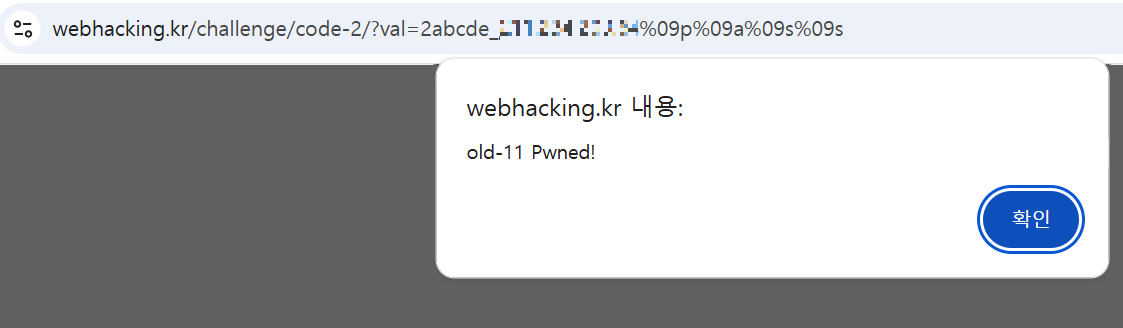

포인트 획득
'1. Web hacking (웹 해킹) > 2) 개념 정리' 카테고리의 다른 글
| [보충] 버섯조아 26.04.04 보충 활동 (0) | 2026.05.25 |
|---|---|
| [26.05.23] 버섯조아 9주차 활동 (0) | 2026.05.25 |
| 8주차 5/22 버섯조아 파일 업로드/다운로드 취약점 정리 (0) | 2026.05.22 |
| [26.05.09] 버섯조아 6주차 활동 (0) | 2026.05.15 |
| [26.04.10] 버섯조아 4주차 활동 (0) | 2026.04.10 |

